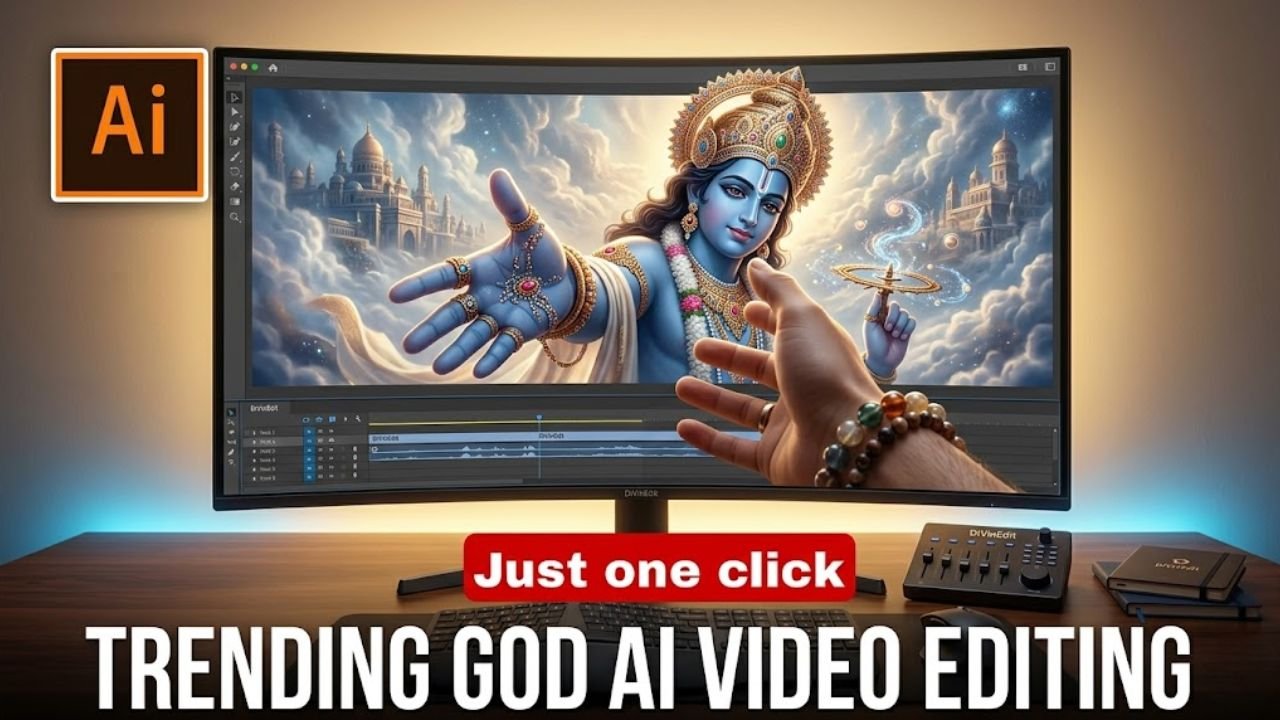
In today’s digital world, AI-powered video editing is growing rapidly. One of the most trending styles right now is the God Hand AI video, which is going viral across platforms like Instagram, YouTube, and Facebook.
The best part? You can create this cinematic video even if you have zero editing experience. This guide will show you how to make it step by step.
What is a God Hand AI Video?
A God Hand AI video is a creative, AI-generated clip where a divine or animated character appears to reach out from a screen (like a laptop or monitor) and connect with a real human hand.
This concept gives a cinematic and emotional feel, often associated with spirituality, motivation, or powerful storytelling. Many creators use different styles and themes to make their videos unique and engaging.
Apps & Tools Required (Free)
To create this video, you will need a few simple tools:
- Grok AI or Google Flow (for video generation)
- CapCut (for editing and effects)
You’ll also need a basic photo where your hand is extended toward a screen.
How Does God Hand Editing Work?
Most of the work is handled by AI tools. You simply provide an image and a prompt, and the AI generates the animation.
After that, you can enhance the video using CapCut by adding effects, transitions, music, and color grading. This makes the process fast and beginner-friendly.
Step-by-Step Guide to Create God Hand AI Video
Follow these easy steps:
- Set a god-themed wallpaper on your laptop or PC
- Take a photo where your hand is reaching toward the screen
- Copy the AI prompt provided below
- Open Grok AI or Google Flow and log in
- Upload your photo and paste the prompt
- Click generate and wait a few moments
- Download the generated video
- Open CapCut and import the video
- Add music, effects, transitions, and color grading
- Export your final video
AI Prompt for God Hand Video
Use this prompt:
Prompt:
Use the uploaded image as the base reference and keep everything unchanged, including the monitor, character, lighting, and real hand. Start with a still image, then animate the character on the screen. The character looks toward the real hand, and a subtle glow appears. The screen behaves like a digital portal, allowing the character’s hand to emerge. Both hands move toward each other and shake hands in slow motion. Add a glowing pulse at the moment of contact. Maintain realistic motion, cinematic lighting, dramatic shadows, and smooth animation. Keep the original character design unchanged. Create an 8–10 second ultra-realistic cinematic video.
Pro Tips to Go Viral (2026 Strategy)
To increase your chances of going viral, follow these tips:
- Use high-quality images only
- Keep your video short (8–10 seconds is ideal)
- Add a strong hook at the beginning
- Use trending music
- Upload during evening hours for better reach
- Use relevant hashtags
Why God Hand Videos Go Viral
These videos are highly engaging because they create a strong emotional and visual impact. The concept of a divine connection feels powerful and relatable, especially for audiences interested in spiritual or motivational content.
The cinematic look and simplicity of creation make this trend even more popular among creators.
Common Mistakes to Avoid
Avoid these errors to improve your results:
- Using low-quality or blurry images
- Over-editing the video
- Poor masking or alignment
- Not syncing video cuts with music beats
Keeping your video simple and clean often gives the best results.
Conclusion
God Hand AI video editing is one of the most exciting trends of 2026. With the help of AI tools, anyone can create stunning cinematic videos without advanced skills.
All you need is the right image, a proper prompt, and a little creativity. If your video doesn’t generate perfectly on the first try, don’t worry—try again a few times and you’ll get great results.
Start creating today and take advantage of this trending style to grow your audience