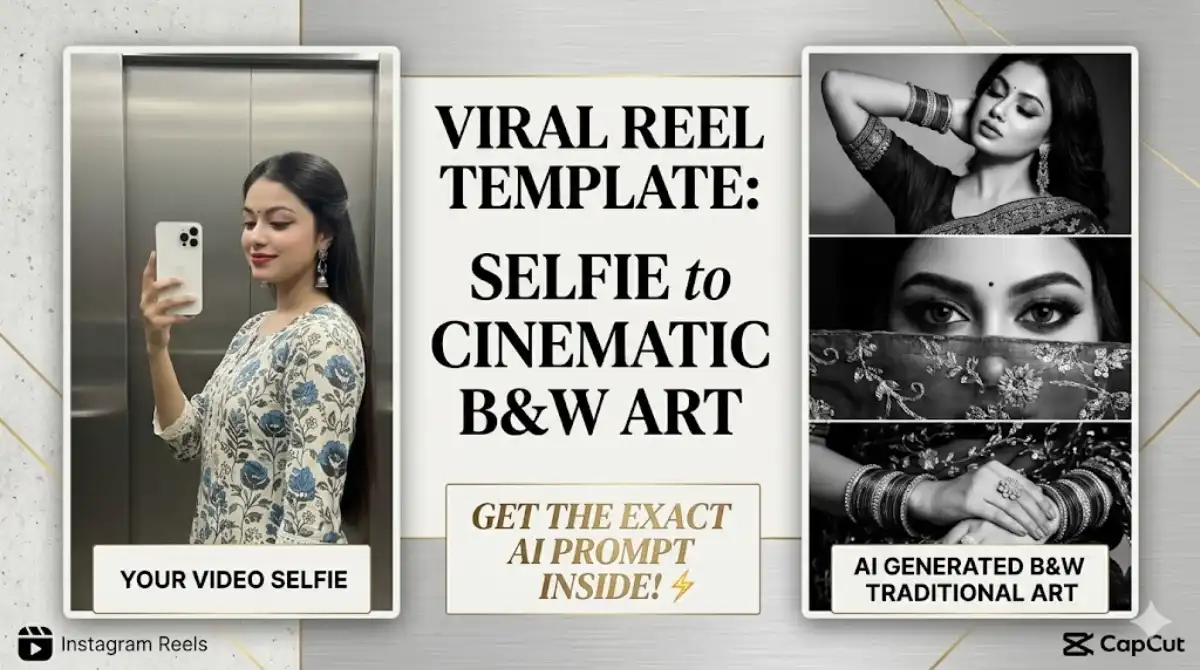
Viral Black and White Traditional: If you have opened Instagram recently, you have likely been mesmerized by the dramatic, high-contrast trend taking over the Reels tab. It starts with a modern, casual selfie video and suddenly transitions into a breathtaking, three-panel black-and-white cinematic collage featuring traditional Indian attire, heavy jewelry, and intense aesthetic close-ups.
This transition looks like a high-end magazine photoshoot, but it is actually created using AI and a simple editing app. In this quick guide, we will show you exactly how to recreate this viral masterpiece in just a few minutes.
What You Will Need to make Viral Black and White Traditional
- A short, normal selfie video (around 3 to 5 seconds long).
- An AI Image Generator (Midjourney is highly recommended for photorealism, but Bing Image Creator works too).
- The CapCut video editing app.
Step 1: Generate the Cinematic B&W Collage
To make the Viral Black and White Traditional AI image look like you, you will need to use an “Image-to-Image” prompt.
How to do it using Midjourney:
- Take a clear screenshot of your face from your starting video.
- Upload this screenshot to your Midjourney chat and copy the image link.
- Type
/imagine, paste your image link, and then paste the “God-Level” viral prompt below.
The Viral Black and White Traditional Saree Prompt:
A vertical aesthetic black and white collage split into three equal horizontal panels featuring a beautiful young Indian woman in a traditional heavy embroidered saree. Top panel: A glamorous portrait of the woman resting her hands near her head, showing off ethnic bangles and heavy jhumka earrings, elegant pose with eyes softly closed. Middle panel:
An extreme close-up of her intense, dramatic eyes looking directly into the camera, wearing a traditional bindi, with an intricately embroidered sheer veil just below her eyes. Bottom panel: A close-up of her elegantly resting hands adorned with multiple bangles and a large ornate ring, resting on dark embroidered saree fabric. High contrast, dramatic cinematic lighting, photorealistic, highly detailed, Instagram reel aesthetic. –ar 9:16 –v 6.0
Pro Tip: The parameter --ar 9:16 is crucial because it ensures the image perfectly fits the vertical screen size of an Instagram Reel or YouTube Short.
Step 2: Edit the Reel in CapCut
Now that you have your stunning AI-generated image, it is time to sync it to the beat.
- Find a CapCut Template: Open Instagram and search for the “Black and White Sync” or “Photo Flash Transition” CapCut template. You can also search for these keywords directly inside the CapCut app.
- Import Your Media: Click “Use Template in CapCut”.
- Clip 1: Select your original, normal video selfie.
- Clip 2: Select the AI-generated Viral Black and White Traditional collage.
- The Perfect Timing: The magic happens at the beat drop. Ensure your normal video plays for exactly 3 seconds, and the transition into the AI image happens exactly when the bass drops in your audio track.
- Export: Preview the flow. If the transition is smooth, click Export (always choose “Export without watermark” for a clean, professional look).
Step 3: Post and Boost Engagement 🚀
To maximize your chances of hitting the viral algorithm:
- Trending Audio: Always mute your original camera audio and replace it with a trending traditional lo-fi or classical mix (like a slowed-down version of “Tose Naina”).
- Minimalist Caption: Let the dramatic visual do the heavy lifting. A simple caption like, “I am obsessed with this traditional prompt 🖤✨” is perfect.
- Call to Action: Encourage saves and shares by adding, “Save this for your next reel idea!”
This Viral Black and White Traditional trends works beautifully because the stark contrast between modern casual wear and hyper-detailed traditional aesthetics cathes the viewer completely off guard. Try it today and watch your views skyrocket!