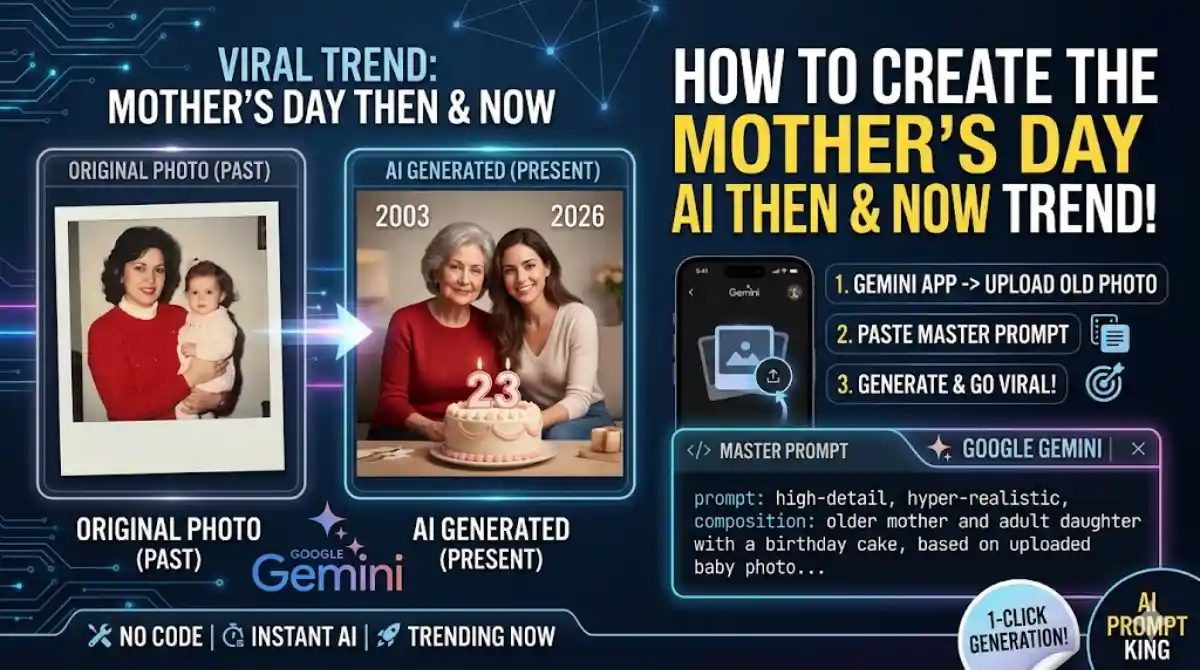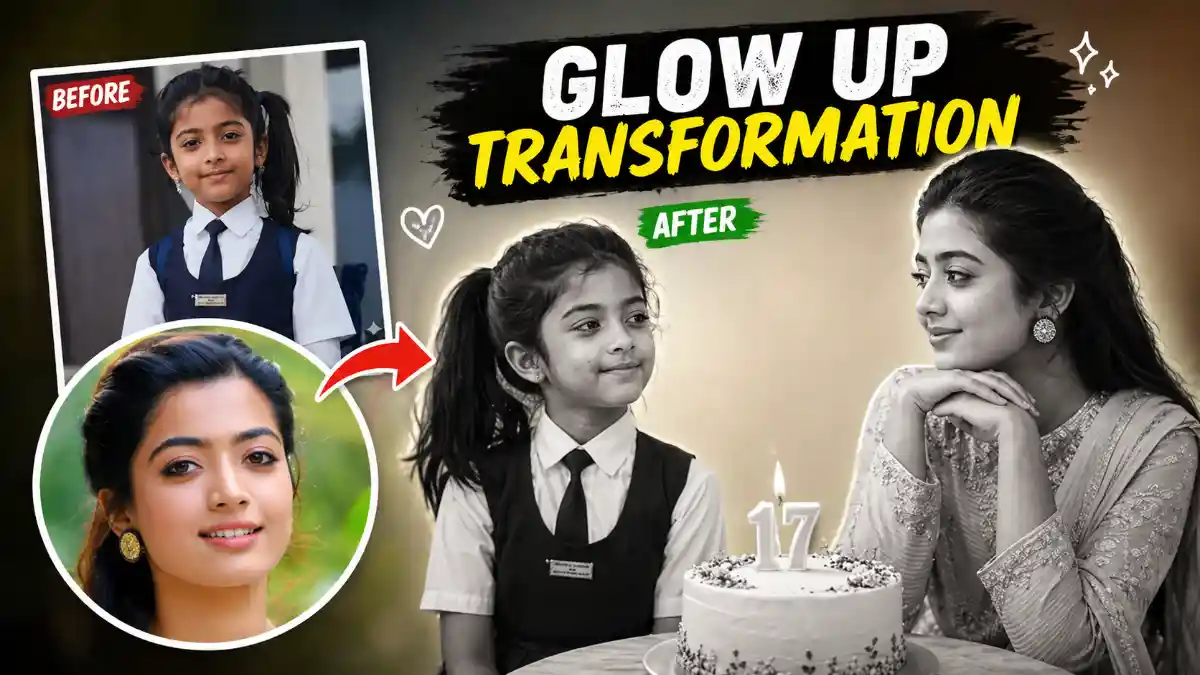
Editing Prompts: The Then and Now Childhood trend is currently taking social media by storm. This viral editing style allows you to beautifully merge your nostalgic childhood picture with your present-day portrait in a single, highly emotional frame.
These edits go beyond simple photography—they tell a visual story of growth, nostalgia, and the passage of time.
By using the right AI prompts, you can easily make your edits look professional and incredibly realistic. Whether you are creating this for a boy or a girl, these prompts help you craft stunning visuals that document your journey from childhood to the present day. From minimalistic studio setups to soft emotional aesthetics, the possibilities are truly endless.
In this guide, we have shared highly effective and easy-to-use childhood photo editing prompts designed specifically for AI tools like ChatGPT Plus (GPT-4o) and Google Gemini Advanced.
How to Use These AI Editing Prompts
These Editing Prompts are specially optimized for advanced AI image generators that support image uploads. Here is how you can use them:
- Open ChatGPT Plus or Google Gemini Advanced.
- Upload a clear photo of your younger self and a recent picture.
- Copy one of the prompts below and paste it into the chat.
- Hit generate, and your stunning masterpiece will be ready in seconds!
All the Editing Prompts provided below are completely free, thoroughly tested, and optimized to deliver the most realistic results.
Prompt 1: The Classic Emotional Then and Now Interaction
This Editing Prompts creates a heartwarming interaction between your younger and older self.
[Copy Prompt Below]
“Using the images I have uploaded, create a soft, emotional, black-and-white artwork. Let the formation be as follows: On the left: a child version of me (from the childhood photo) looking with an innocent smile to the right, with ‘2006’ written gracefully above it. On the right: A present version of me (from the recent photo) sitting with her hands under her chin, looking at the child with a calm, affectionate smile, with ‘2026’ written above her. Studio background: plain and soft.
The lighting: Soft, cinematic, and warm (even in black-and-white). Style: Professional, minimal, emotional photography focusing on the deep feelings and visual communication between the two versions. Make the picture look like a genuine, real photoshoot. Keep my original facial features without changing them. Photo aspect ratio: 4:5.”
Prompt 2: The Nostalgic Birthday Edition
Perfect for celebrating a milestone, this prompt includes an elegant birthday cake bridging the gap between the past and present.
[Copy Prompt Below]
“Using the uploaded images, create a soft, emotional, black-and-white art piece. Let the formation be as follows: On the left: a child version of me (referencing the childhood photo) looking with an innocent smile to the right, with ‘2009’ written above it. On the right: a present version of me (referencing the recent photo) sitting with her hands under her chin, looking at the child with a calm, nostalgic smile, with ‘2026’ written above her.
In the middle: a table featuring a simple, elegant birthday cake with the number 17 on top. Studio background: plain, soft, and minimal. The lighting: soft, cinematic, and warm. Style: professional, emotional photography that focuses on visual storytelling between the two time periods. Make the image look like a real, high-end photoshoot. Strictly maintain my original features. Photo size: 4:5.”
Why You Should Try This Trend
Then and Now Childhood photo edits are much more than a passing internet trend—they are a powerful method to preserve memories and express emotions. With these precise AI Editing Prompts, you can transform ordinary pictures into meaningful digital art that instantly connects with viewers.
Regardless of your editing experience, these ready-to-use AI prompts will help you achieve breathtaking results without needing complex software like Photoshop. Start creating your own “Then & Now” timeline today and bring those beautiful childhood memories back to life!
Frequently Asked Questions (FAQs)
- Which AI tools work best for these photo edits? These specific prompts are optimized for ChatGPT Plus (GPT-4o) and Google Gemini Advanced, as both platforms support image reference uploads and generate highly realistic human portraits.
- What kind of photos should I upload? For the best output, always use clear, well-lit, front-facing portraits or selfies. Avoid blurry images or photos where faces are covered.
- Are these AI editing prompts really free? Absolutely! You can copy and use these prompts completely free of charge. Simply paste them into your preferred AI generator.
- Can I do this on my mobile phone? Yes! Both ChatGPT and Gemini have mobile applications. You can easily upload your photos, paste the prompt, and save the generated image directly to your phone’s gallery.